

WORKFLOW AND RENEWAL AUTOMATION FOR WINBEAT NEXT
Elevate your brokerage
with Folio.
Folio brings the latest schedule information from NEXT into your renewal workflow and prepares client emails and your brokerage branded client portal for review.
Your brokers check and send. Your policies and transactions stay in NEXT.
SEE A RENEWAL IN FOLIO

Connected.
With clear responsibilities.
Your policies and transactions.
Your system of record.
Your workflows, automation
and client experience.
A BETTER RENEWAL, FROM THE START
Less preparation.
More time for advice.
Start a renewal in Folio. The groundwork is prepared automatically, ready for your broker to review.
- 01
Bring in the latest schedule
Current client and policy information comes from NEXT.
- 02
Prepare the client request
Email, web review or your brokerage branded client portal.
- 03
Review and send
Your broker checks the details and stays in control.
The latest schedule. Ready to work with.
Folio uses the latest schedule from NEXT to prepare the renewal tasks and client request. Your broker reviews the details before sending.
Renewal workflowTasks and next steps in one place
Client engagementEmail, web review or brokerage branded client portal
Broker reviewCheck it. Make it yours. Send it.
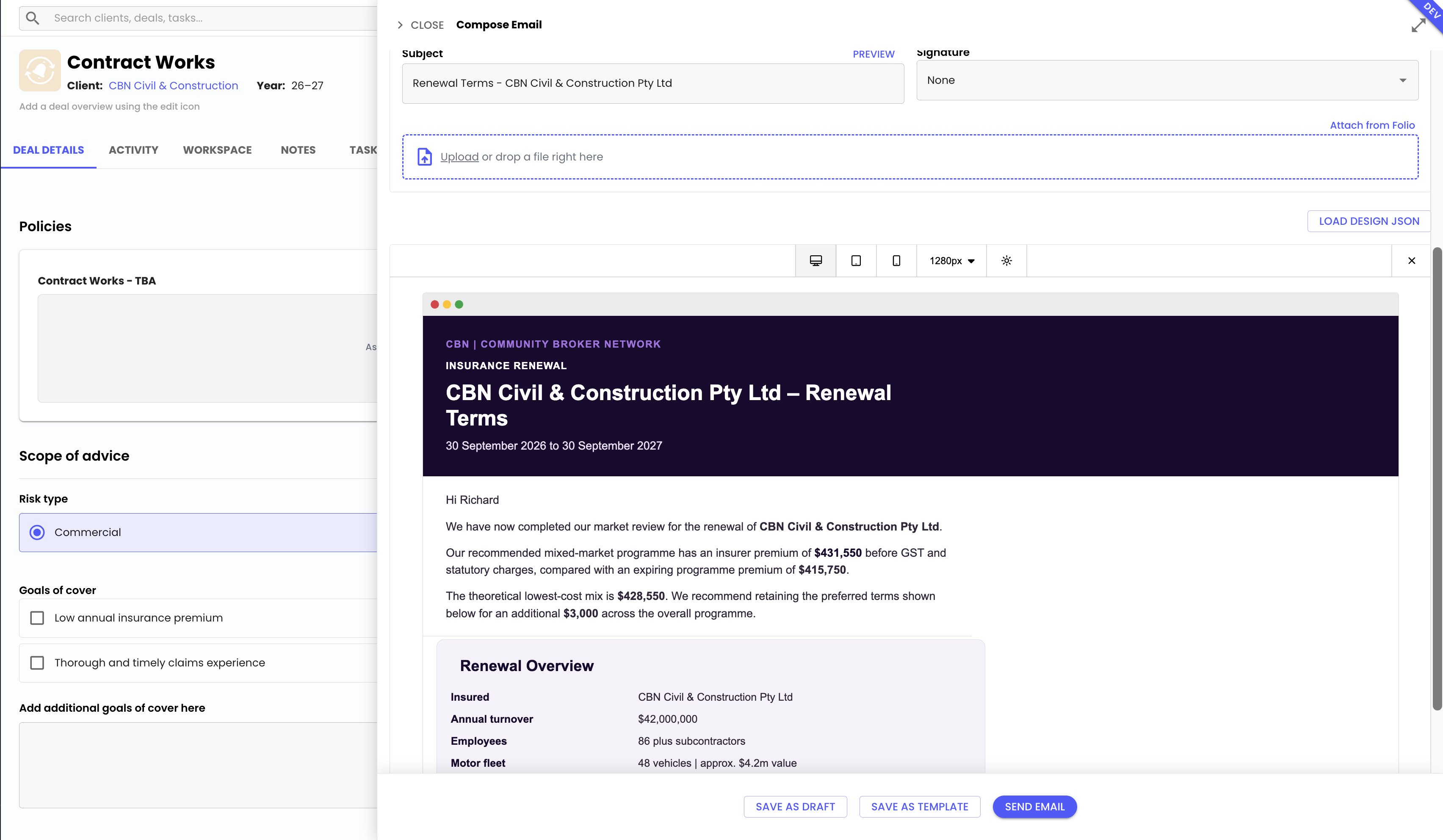
FolioCRM · Demonstration workspace
The formal policy transaction stays in NEXT.
Activity, communication and final documents stay connected to the client.
Prepared automatically. Reviewed by your broker.
BEYOND THE RENEWAL
One connected way
to run the day.
Folio connects your team, your clients and your business view. Explore the three parts of the platform.
Your broker workspace.
Tasks, emails, documents and client activity, organised around the work your brokers do every day.
Keep every renewal moving.
See what is due, who owns the next step and what needs your attention.
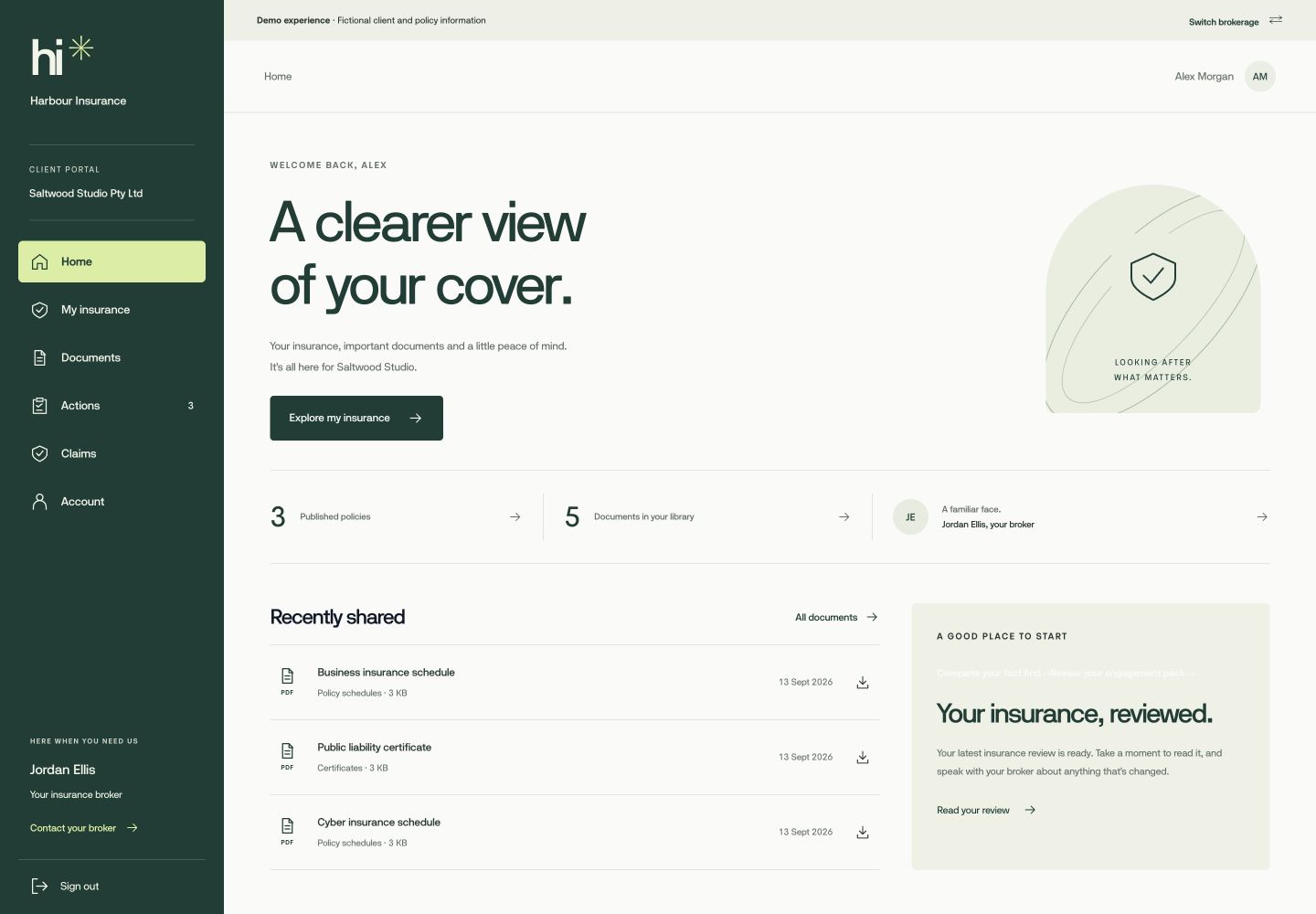
Your brokerage branded
client portal.
A familiar place for clients to review their cover, respond to requests and find their documents. All in your brokerage’s brand.
Explore FolioEngage- 01NotificationA clear reason to act.
- 02ReviewInformation checked securely.
- 03AdviceYour recommendation explained.
- 04ApprovalA confident next step.
- 05DocumentsEverything easy to find.
Your brokerage reporting.
See workload, renewals and financial performance together. Understand what needs attention across the brokerage.
Explore FolioIntel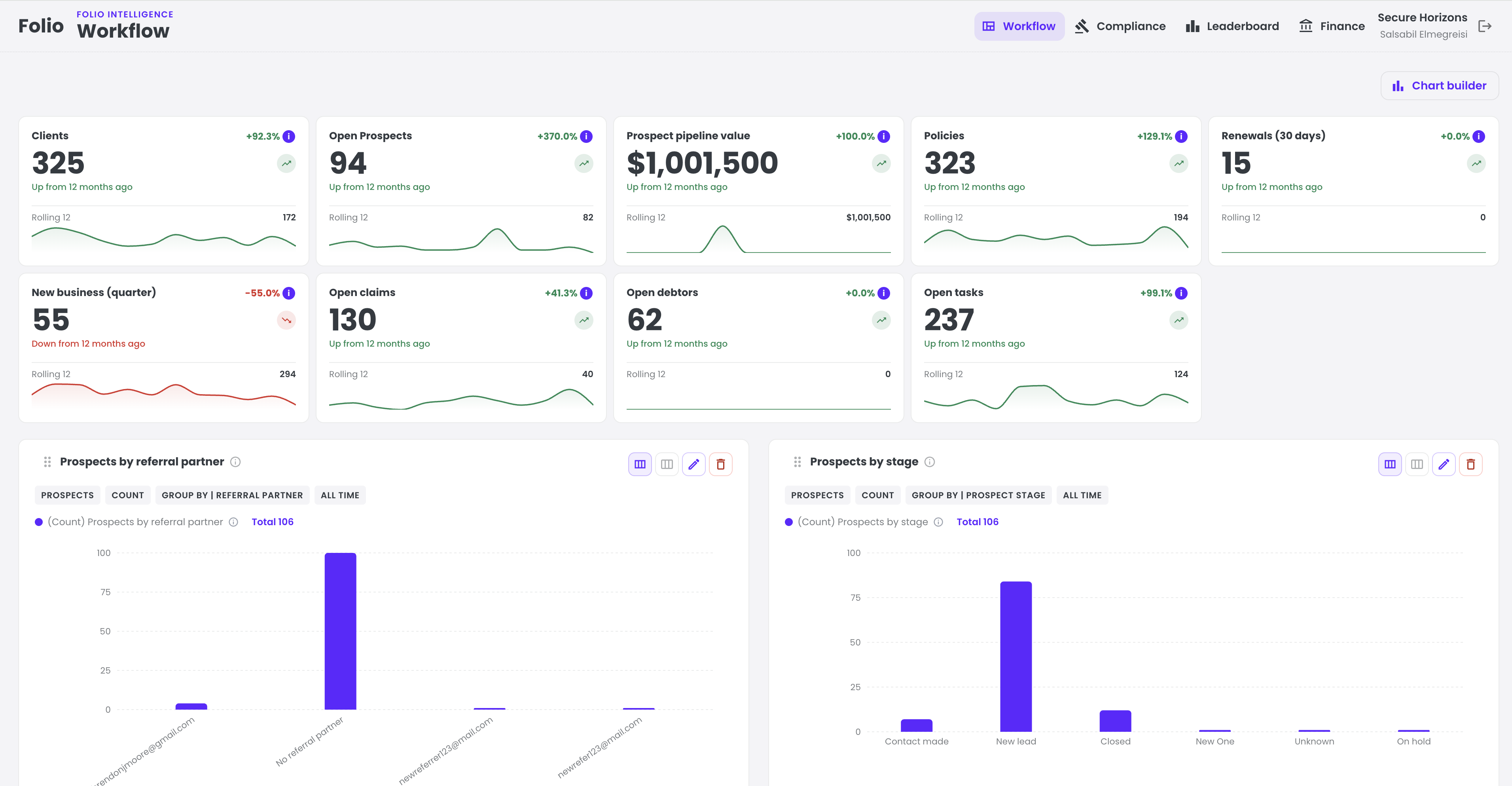
PLANNING YOUR NEXT STEP
A considered move.
A supported start.
Already using NEXT, or planning your move? We’ll work through your workflows, data and onboarding with you.
Request a demoIs this another system on top of Ebix?+
NEXT keeps the policies and transactions. Folio gives brokers a place to do the work around them, replacing the spreadsheets and disconnected follow-up that often fill the gaps.
Will client messages send automatically?+
Folio prepares the appropriate engagement using the latest schedule information from NEXT. The broker reviews it before sending. The advice and the client relationship stay with your team.
How do we manage the change?+
We plan the rollout around your brokerage, with a dedicated migration specialist and onboarding sequenced with the NEXT migration. Bring us a real renewal run; we’ll work through the steps and requirements together.
What about our Microsoft 365 tenancy?+
Your own Microsoft 365 and SharePoint tenancy can support document management and client communications. We’ll confirm how that fits with your current setup during planning.
Can we see our own renewal process in it?+
Yes. Tell us what your team does today, where preparation takes the time and what you want the client to experience. We’ll make the demonstration useful to your brokerage.
YOUR BROKERAGE. ELEVATED.
What would your brokerage
look like on Folio?
Request a Folio + NEXT demo. We’ll show you the renewal workflow, the client experience and how it could fit your team.
Thanks for reaching out.
One of our team will be in touch with you to arrange a time to meet. We’ve also sent a confirmation to your email.
Keep exploring the renewal journey